
How To Build A Restaurant Franchise Onboarding And Partner Portal In 2026
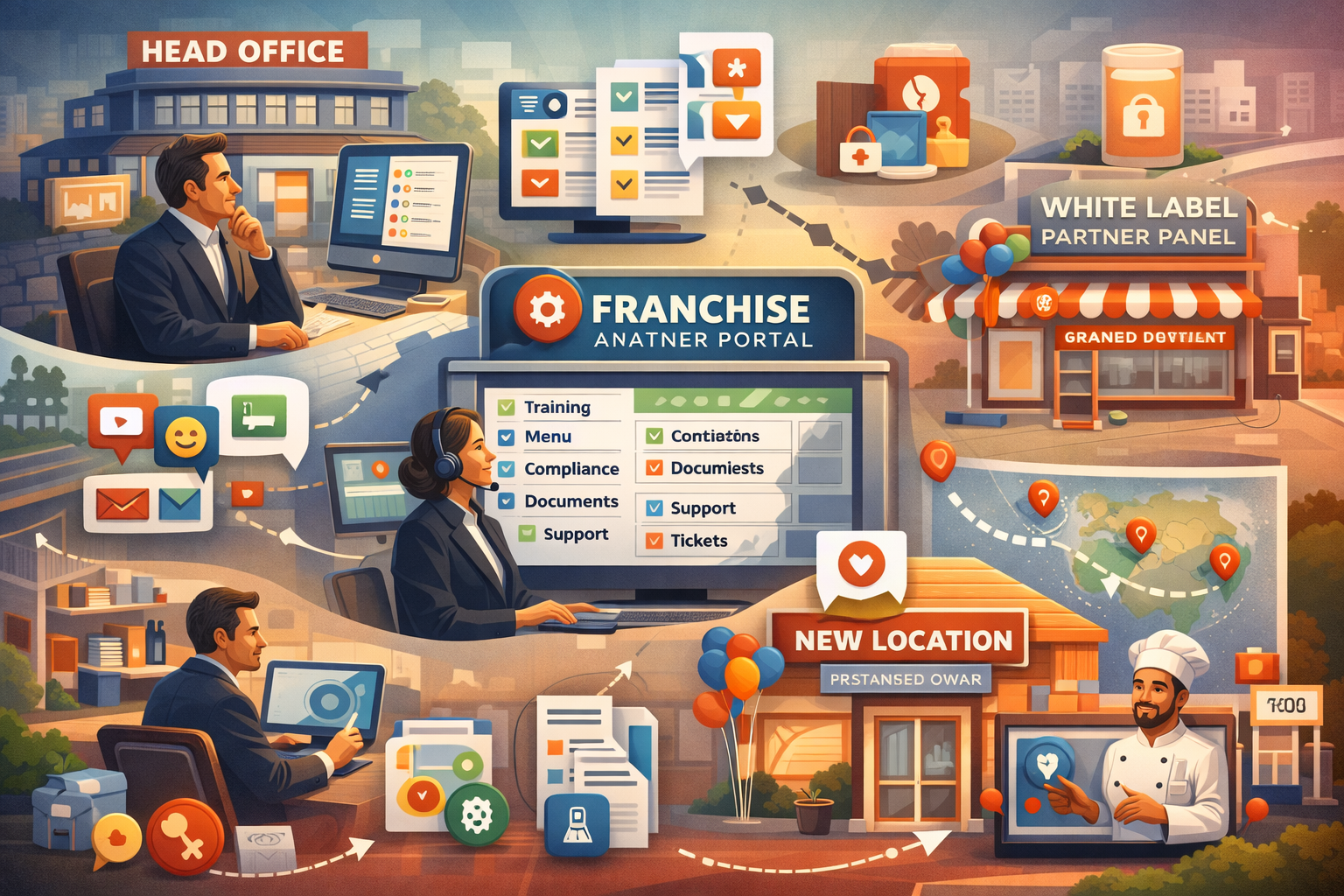
A strong franchise onboarding system helps restaurant chains bring new locations online quickly and keeps all branches aligned with the same menus, training, rules and standards. In 2026, a modern online food ordering platform needs a full partner portal so head office, managers and staff can work together in a calm and structured way.
Introduction
Franchise restaurant brands are growing fast in 2026. Many of them now expect more than a simple dashboard. They want a full portal that helps them bring new branches online in a clean, step by step way. They want tools that handle training, menu templates, compliance checks, documents, communication, support and much more.
If you plan to build a system like GloriaFood or a more advanced setup such as CusenEats, you will need a strong franchise onboarding and partner portal. This becomes an important part of your enterprise features and helps you win larger restaurant groups.
This guide explains, in simple language, how to design the full architecture, user flows and data models needed for a complete franchise partner portal in 2026.
Why Franchise Onboarding Matters In 2026
Franchise groups face many problems every day:
- Slow branch rollout
- Different menu setups across stores
- Poor or missing training
- Manual and messy compliance checks
- Lost information
- Weak communication between teams
- No clear tracking of franchise performance
A modern partner portal helps fix all these problems by offering:
- A clear onboarding process
- One place for training
- Simple ways to enforce brand rules
- Fast scaling across locations
- A centre for support
- A single knowledge base
Franchises expect a portal that feels polished and steady, one that helps them work without confusion.
Step 1: Build A Multi Role Franchise Structure
A franchise portal must serve many types of users:
- Head office
- Regional managers
- Franchise owners
- Branch managers
- Staff members
Each type of user needs:
- Their own permissions
- Their own dashboard
- Their own view of data
If you do not build proper user roles, the system becomes messy and unsafe. A clear role system is the foundation of a franchise portal.
Step 2: Franchise Onboarding Workflows
The onboarding workflow is the journey that each new branch follows before going live. It must be clear, easy to follow and shown in a step by step format with a visible checklist.
Business Setup
- Company details
- Banking and payout setup
- Legal files
- Region mapping
Menu Setup
- Use master menu
- Apply local overrides
- Adjust local prices
Operations Setup
- Staff onboarding
- Table layout
- Delivery zones
- Reservation rules
Technical Setup
- POS setup
- QR and kiosk setup
- Channel activation
Each part should show progress so users always know what is done and what is left.
Step 3: Learning And Training Centre
Franchises depend on good training, especially because staff turnover is common. The training centre should include:
- Videos
- SOP files
- Operation guides
- Small tests
- Certificates
- Brand rules
This reduces mistakes and makes sure new staff learn the brand’s way of working.
Step 4: Menu Presets For Franchise Rollout
A strong franchise must protect menu consistency. Your portal should give:
- Brand menu templates
- Category presets
- Modifier presets
- Price limits
- Seasonal menu packs
Templates help new branches start fast without losing the brand identity.
Step 5: Compliance And Audit Tools
Compliance is very important for large chains. Your portal should allow:
- Daily and weekly checklists
- Food safety logs
- Brand rule checks
- Temperature and cleaning logs
- Menu update history
- Refund and discount audits
These tools help branches follow the rules and help head office keep a clear record.
Step 6: Location Launch Checklist
Opening a new branch should be a clean, guided process. The launch checklist may include:
- Hardware checks
- Menu checks
- Staff training done
- POS connection
- Test orders
- Marketing tasks
- Final approval
This helps new branches open without fear or confusion.
Step 7: Performance Dashboards For Franchisors
Head office needs a full view of how each branch is performing. They should see:
- Sales by branch
- Region based insights
- Average order value
- Order frequency
- Loyalty usage
- Customer reviews
- Delivery times
- Stock trends
These reports help them make better decisions.
Step 8: Franchisee Dashboards
Franchise owners also need their own view, but without seeing the whole chain. They should see:
- Sales
- Staff performance
- Marketing impact
- Loyalty usage
- Reviews
- Stock movement
This helps them run their branch with confidence.
Step 9: Communication Hub
A partner portal should reduce scattered messages. It should include:
- Announcements
- Policy updates
- Brand rules
- Support tickets
- Knowledge base
- Chat channels (optional)
This replaces the chaos of separate WhatsApp groups and long email threads.
Step 10: Document Vault
Large chains store many documents. Your portal should support:
- Franchise contracts
- Staff contracts
- Training files
- Compliance files
- Operation guides
Documents must support version history and access controls so only the right people can view them.
Step 11: Integrated Support And Ticketing
Support is very important for franchise groups. Your system should include:
- Issue categories
- Priority levels
- Timers for response
- Escalation rules
- Multi branch support handling
Good support keeps large franchises calm during busy times.
Step 12: Multi Location Growth Tools
A growing franchise should be able to open new branches quickly. Your portal should allow franchisees to:
- Add new branches
- Copy settings from other branches
- Apply brand menu presets
- Clone marketing flows
This should take minutes, not days.
Step 13: White Label Partner Portal
If you plan to sell to resellers or agencies, you will need white label features. These may include:
- Custom branding
- Franchise domain names
- Partner analytics
- Custom workflows
- White label files and templates
This is the moment when tools like CusenEats feel very helpful. They support fast white label deployment, yet still allow teams to add custom steps or rules later. This gives partners both speed and freedom. Many founders like this approach because it lets them start quickly then expand when they learn what their franchise clients really need.
Step 14: Integration With POS, Ordering And Loyalty
Your portal must connect to all main restaurant systems:
- POS
- Online ordering
- QR and kiosks
- Loyalty settings
- Marketing automation
Good integration reduces manual work and limits mistakes.
Step 15: Launch Strategy For Franchises
To launch this system, it is smart to start with:
- Multi branch chains
- Regional franchises
- Cloud kitchens
- Fast growing quick service brands
Once live, you should improve the portal based on:
- Setup problems
- Reporting needs
- Training gaps
- Compliance issues
Every update makes the tool easier for new franchises.
Final Thoughts
A strong franchise onboarding and partner portal in 2026 must be structured, simple to use and built for growth. It acts as the main support system for large restaurant chains. It keeps menus consistent, training simple, compliance strong and communication clear. When built well, it becomes an important enterprise feature for platforms like CusenEats and a major reason why franchise brands stay for the long term.
For tailored advice or to launch your own self hosted restaurant ordering platform, feel free to contact Cusenware.